Designer_TE / For designers managing project delivery
Designer_TE
Your design intent. A connected delivery plan.
Keep drawings, supplier quotes, project tasks and client conversations with the work they shape. See what needs attention and open the record from Control Tower without losing your place.
One connected workspace
See the plan behind the design.
Control Tower keeps task documents, supplier activity, delivery milestones and conversations in view. The same Task Engine supports builders and designers, with each audience starting from the work they know.
Meet Control Tower →From a design decision to a work package
Give every detail
a place in the project.
A drawing, a specification or a supplier clarification needs context. Designer_TE separates shared project documents from task-specific files, helping the people delivering the work find the information that belongs to their package.
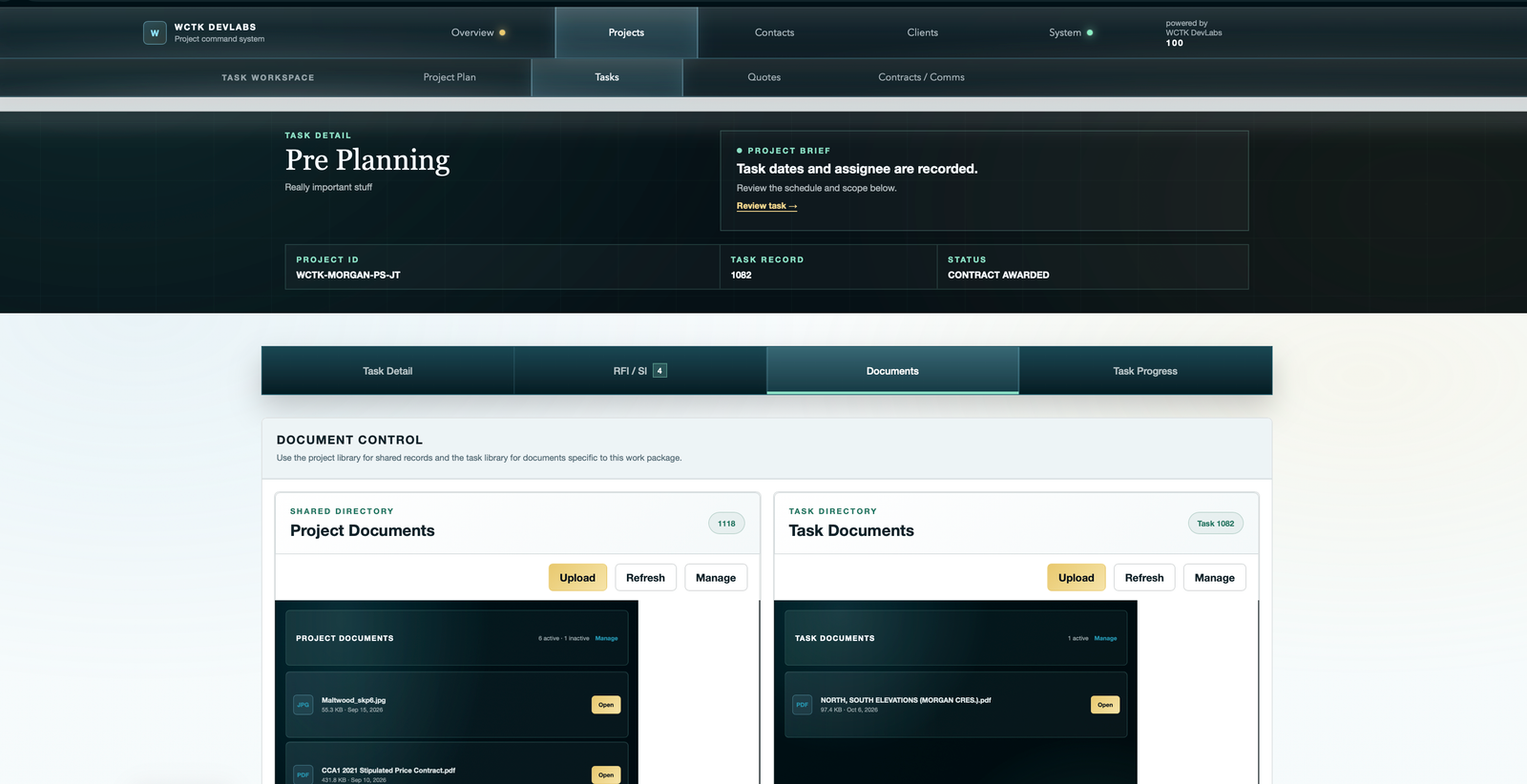
Demo workspace shown. Supported active files in these libraries are client-visible; use the guide to understand visibility before adding internal material.
Drawings and specifications
Use project files for shared reference material and task files for the drawings and directions needed for a specific piece of work.
Supplier decisions
Review pricing, schedule notes and clarifications against the work package so a quote remains connected to what the supplier is being asked to deliver.
Client conversations
Keep questions and recorded decisions in the project context as design details move into supplier coordination and site delivery.
A practical example
Follow a millwork package.
This illustrative workflow shows how a designer could organize a defined package of work. It is a way to use the task record, not a separate design-authoring or procurement module.
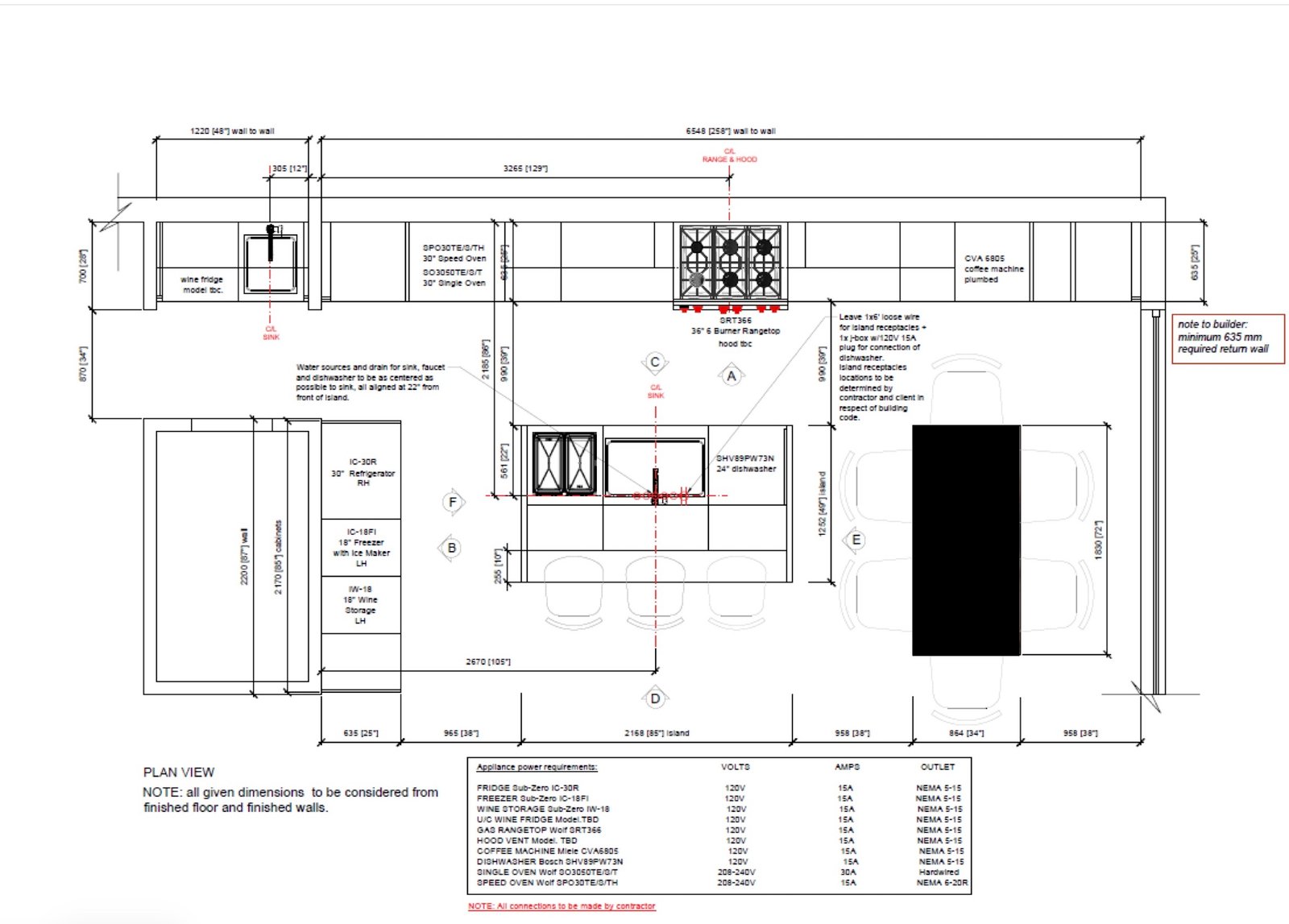

Design references shown for illustration; the drawing and photograph are separate examples.
Define the scope
Task workspaceCreate a work package for the millwork scope. Attach the relevant drawings and specifications, record responsibilities and set the planned dates.
Resolve the supplier response
Quotes and clarificationsRequest pricing against that scope. Review the response and use the quote conversation to clarify materials, exclusions or timing before proceeding with an award.
Coordinate the installation
Schedule and progressReview the package alongside related tasks. Keep communications and reported completion attached to the work while checking its effect on the wider delivery plan.
Keep the owner informed
Client-facing updatesShare appropriate documents and site updates through the client portal. Retain questions and responses so the next conversation starts with the project history.
A dedicated client channel
Make progress visible.
Keep questions in context.
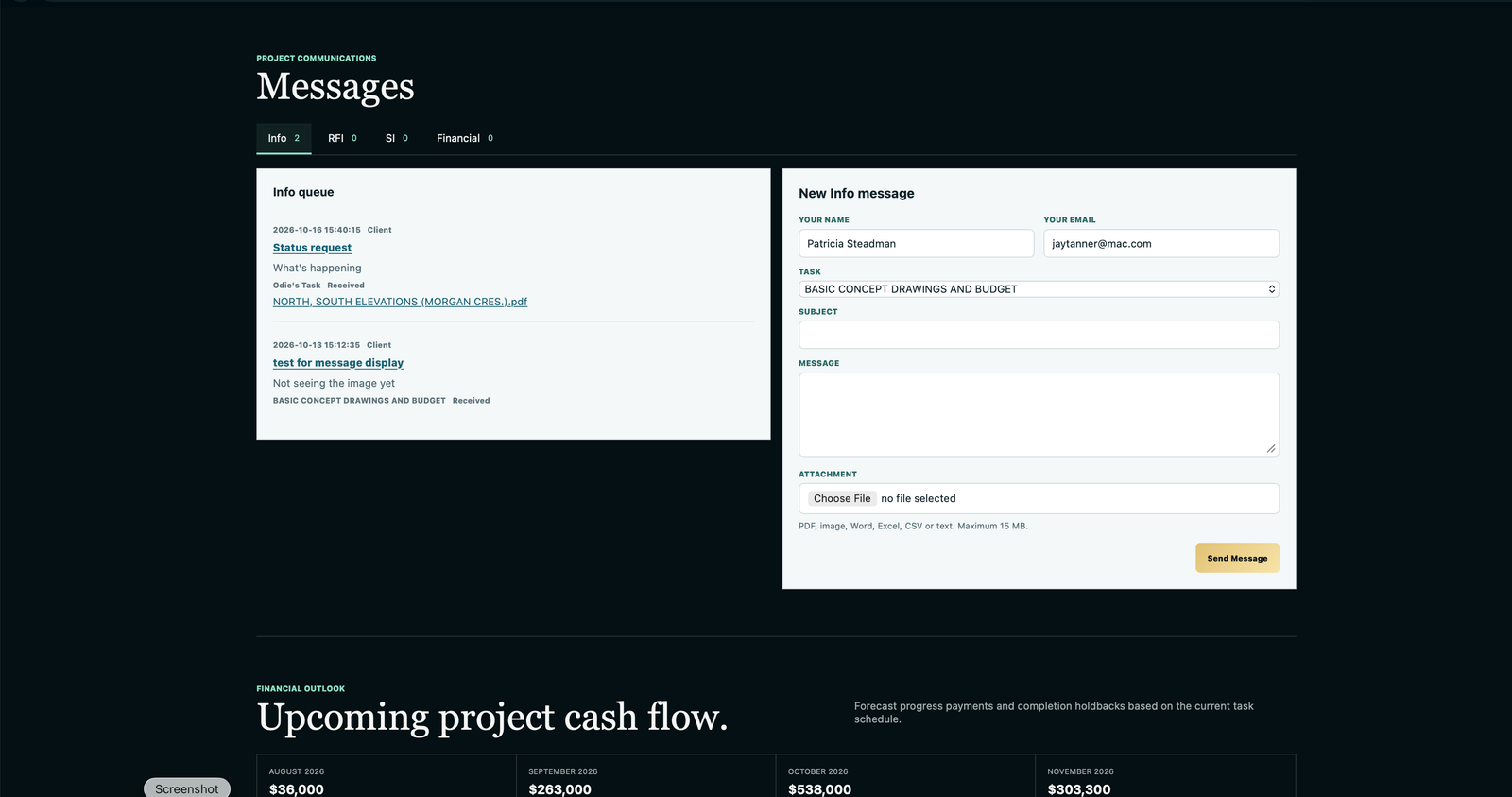
The client portal brings shared information and messages into one project experience. It gives the owner a place to follow the work and raise a question without asking the team to reconstruct the whole story.
Fit for your practice
Design tools create.
Project records connect.
Designer_TE supports the coordination around your work. Keep using your design-authoring tools; bring the relevant documents and delivery information into the project record.
Is this a drawing or rendering application?
No. The workflows shown here manage project tasks, documents, quotes, communication and progress. Designer_TE is not presented as a replacement for CAD, modelling or rendering software.
Can we keep project-wide and package-specific documents separate?
Yes. The task Documents screen provides a shared project library and a task library. The field guide explains which records belong in each and how active files become visible to the client.
Can I use it to record a selection?
You can retain the relevant specification or document and its associated conversation against a task. This is a task-and-document workflow, not a claim of a dedicated selection catalogue or purchasing system.
Put your project in the picture
Show us how your projects move.
Bring an example of the handoffs between your design work, suppliers, site team and client. We will focus the walkthrough on the parts of delivery you need to coordinate.