Builder_TE / For general contractors & renovation builders
Builder_TE
Your project plan. Your next move. In one place.
Bring the scope, the trades and the numbers into one connected project record. See what needs attention in Control Tower and open the task, quote or conversation without leaving the chart.
The schedule is a starting point
See the task.
Open the whole story.
Expand a task to see its documents, quote requests, vendor responses, contracts and conversations. Open the record you need in a modal, take action, and return to the same chart. Dependencies and delivery milestones keep the wider plan in view.
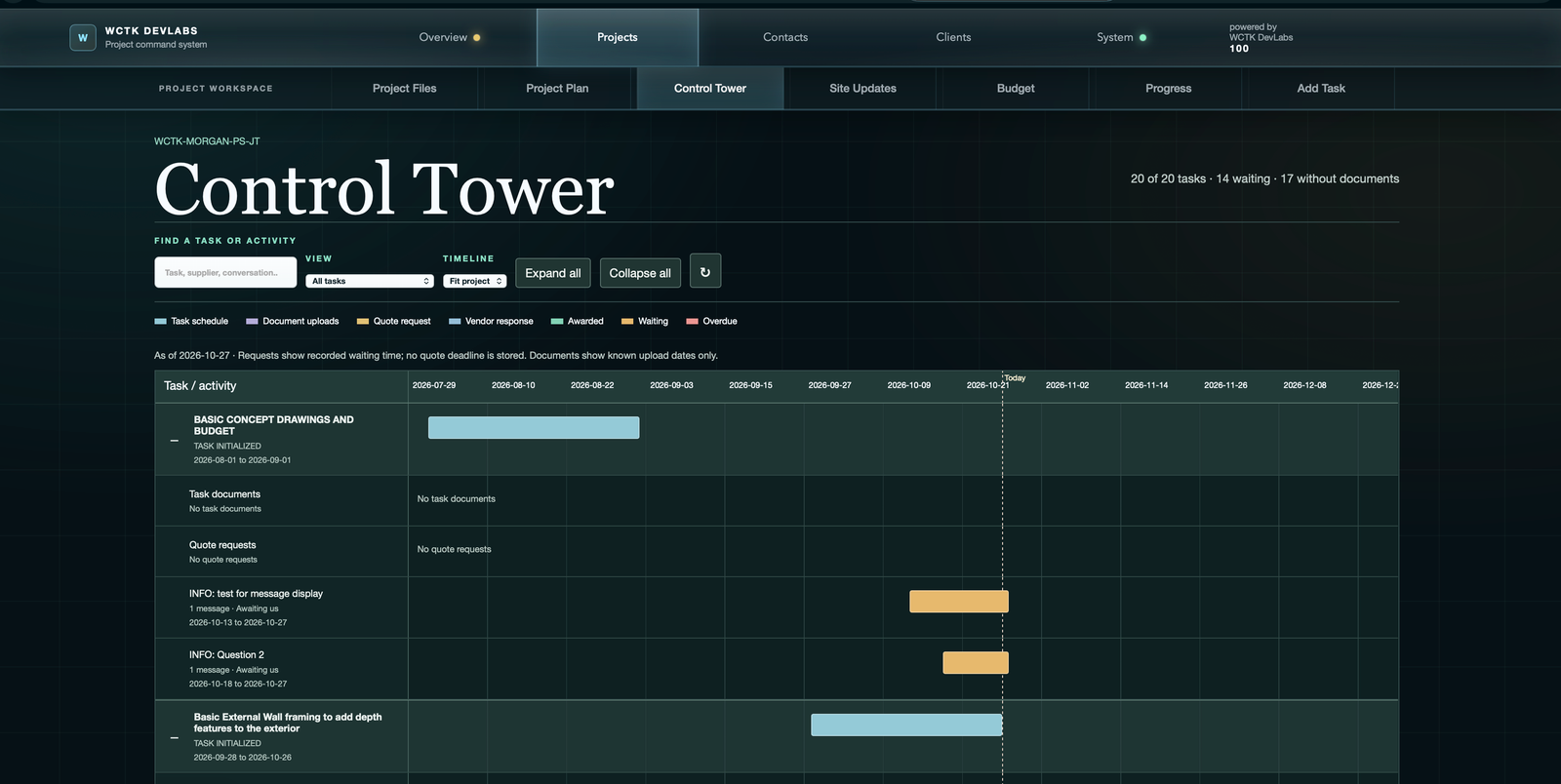
These are recorded demo screens, not live performance results. Customer branding and historical example values remain visible.
Scope that stays attached
Keep task drawings and supporting information alongside the work package, with a separate shared library for project-wide documents.
A visible delivery plan
Review dates and status across the job, then move into the task that needs a conversation or decision.
Progress with context
Compare recorded completion, billing and elapsed schedule rather than treating any one measure as the full picture.
From the first quote to the jobsite
Keep the handoffs connected.
Construction project management is more than a task list. A supplier needs the right scope, the office needs a current commercial record, and the client needs to understand what happens next.
Build the working plan
Tasks and documentationBreak the job into work packages. Bring together drawings, estimated costs, supplier quotes and dates for owner review before committing to delivery.
Request and review quotes
Supplier quote workflowIssue a task-specific request, share supporting files and review supplier responses. Keep clarifications with the request so the price can be considered alongside scope and schedule.
Coordinate active work
Overview and progressUse Control Tower to find work needing attention. Review contract communications, RFIs, milestones and invoices in the context of the project task.
Bring the client with you
Client portal and site updatesShare the appropriate project documents, site updates and progress through the client portal. Keep client questions connected to the work instead of scattered across unrelated conversations.
Financial visibility
Time, work and money.
Read them together.
A task can be partly complete even when its planned time has elapsed. Billing can tell a different story again. Builder_TE gives those measures their own place so your team can ask the right questions.
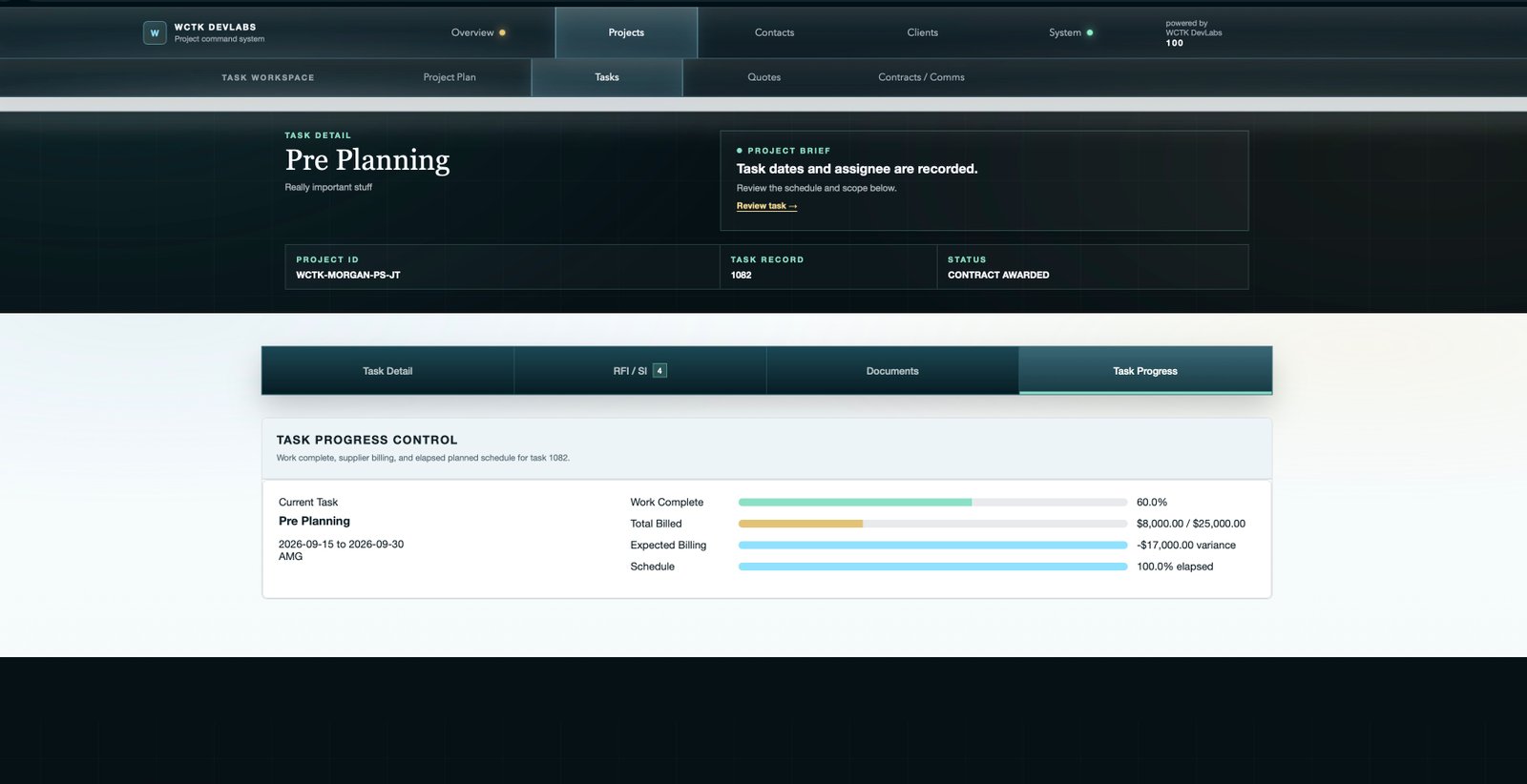
Expected billing is a comparison, not an approval to pay. Recorded billing and completion do not replace invoice review or site verification.
Before your walkthrough
A few practical questions.
How do subcontractors take part?
The supplier quote portal brings together the work scope, shared files, response and messages. The quote guide shows both the office workflow and the supplier-facing screens.
Does a red bar automatically reschedule the job?
No. A late-work indicator brings a task to your attention. Your team still reviews the cause, dependencies and dates before deciding how to revise the plan.
Can I explore the screens before arranging a call?
Yes. The public resource library contains four illustrated guides. They are documentation, not a live account or an interactive project database.
Put your project in the picture
Bring us a job you know well.
Use a familiar project to discuss how you currently handle quotes, task schedules, cost reviews and client updates. We can walk through the relevant Builder_TE workflows together.