For builders
Builder_TE
Bring trades, scope, dates and commitments together. See the activity behind each task and keep the build moving with its documents and decisions attached.
Explore Builder_TETask Engine / For the people who deliver the project
Your project plan. Your next move. In one place.
See what needs attention, open the work behind it, and act without losing your place. Tasks, quotes, contracts, documents and conversations stay connected from the first plan to the final handover.
Meet Control Tower
Your plan becomes a working view of the project. Expand a task to see its documents, quote requests, responses, contracts and conversations. Review delivery milestones and sign-off alongside the activity, then open the record you need without leaving the chart.
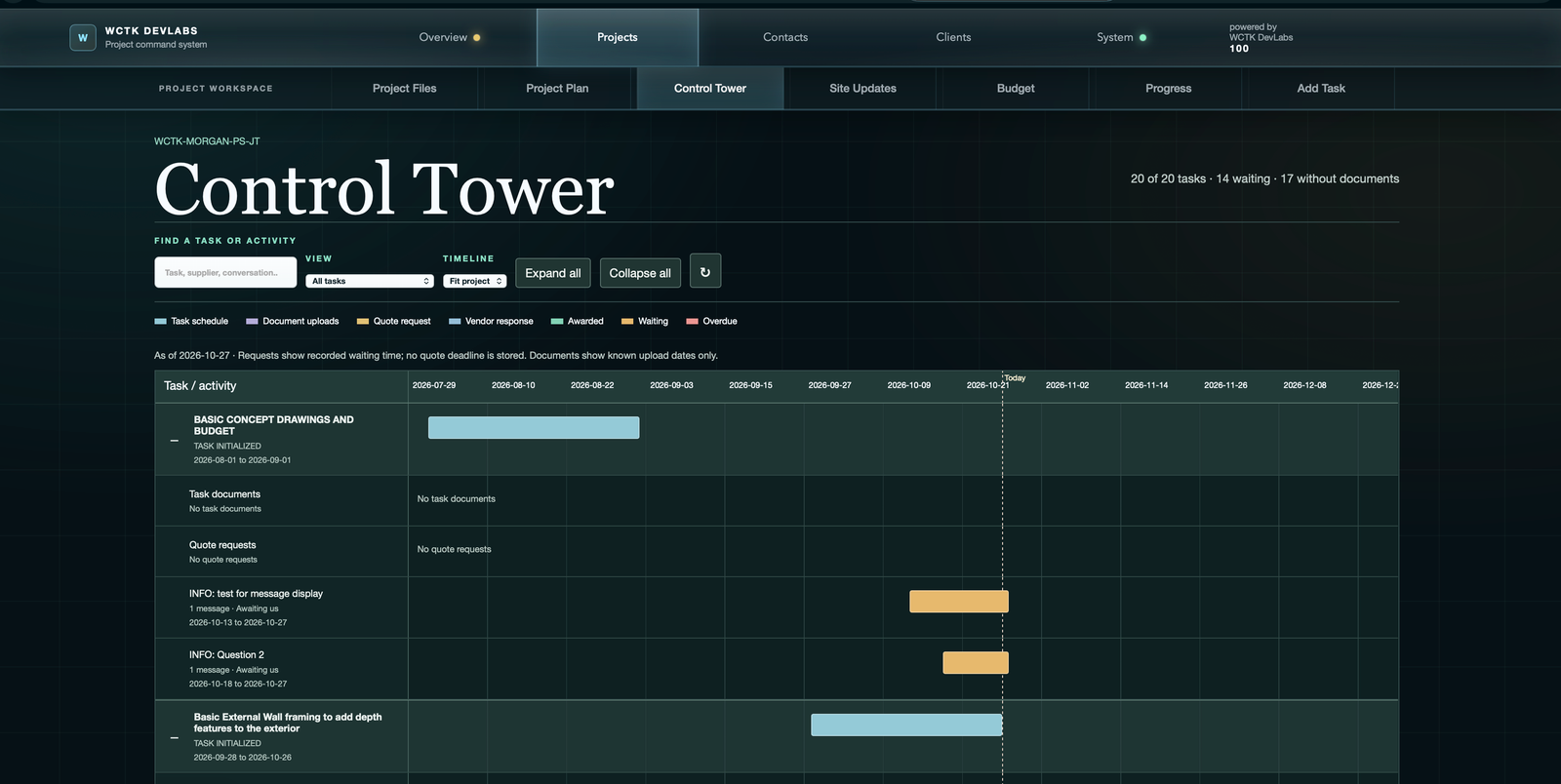
See tasks without documents or quote requests. Open the relevant workflow directly from the chart to take the next step.
Follow quote requests and vendor responses in time. Distinguish awarded responses and conversations awaiting a reply without opening every task.
Open the existing task, quote or communication screen in a modal. Review or update the record, then return to your place on the chart.
Two ways into one Task Engine
Builder_TE and Designer_TE bring the same connected project workflow to two perspectives: coordinating the build and carrying design into delivery.
For builders
Bring trades, scope, dates and commitments together. See the activity behind each task and keep the build moving with its documents and decisions attached.
Explore Builder_TEFor designers
Carry design intent into delivery. Keep drawings, supplier quotes, project tasks and client conversations connected to the work they shape.
Explore Designer_TEFrom possibility to project
Carry the same project information forward. From the first cost model to the latest site update, the next step starts with what you already know.
Establish the project
Bring scope, actual supplier quotes, budget assumptions and timelines into a working project model. Prepare a clear package for owner review and sign-off.
The handoffA shared scope, budget and delivery plan.
Put the plan to work
Onboard subcontractors, finalize schedules and coordinate delivery. Keep communications, RFIs, invoices and progress attached to the right project task.
The handoffA coordinated team and a current project record.
Keep everyone connected
Give your client a dedicated communication channel with shared documents, site updates and project progress. Keep questions and decisions in context as the work moves forward.
The resultA client who can see the work, not just ask about it.
The Task Engine
A task is more than a name and a date. It carries the scope, drawings, costs, supplier responses and conversations needed to move the work forward.
That record stays connected as estimates become quotes, quotes become contracts, and planned milestones become work ready for review. Control Tower brings those records together; Budget and Progress keep the financial and delivery picture in view.
The project delivery process
That operating path is organized into three phases. Plan establishes a credible project model. Commit replaces assumptions with market-tested pricing and supplier commitments. Deliver keeps execution, communication and financial control connected through completion and closeout.
Outcome: a clear preliminary scope, schedule, budget and cash-flow plan.
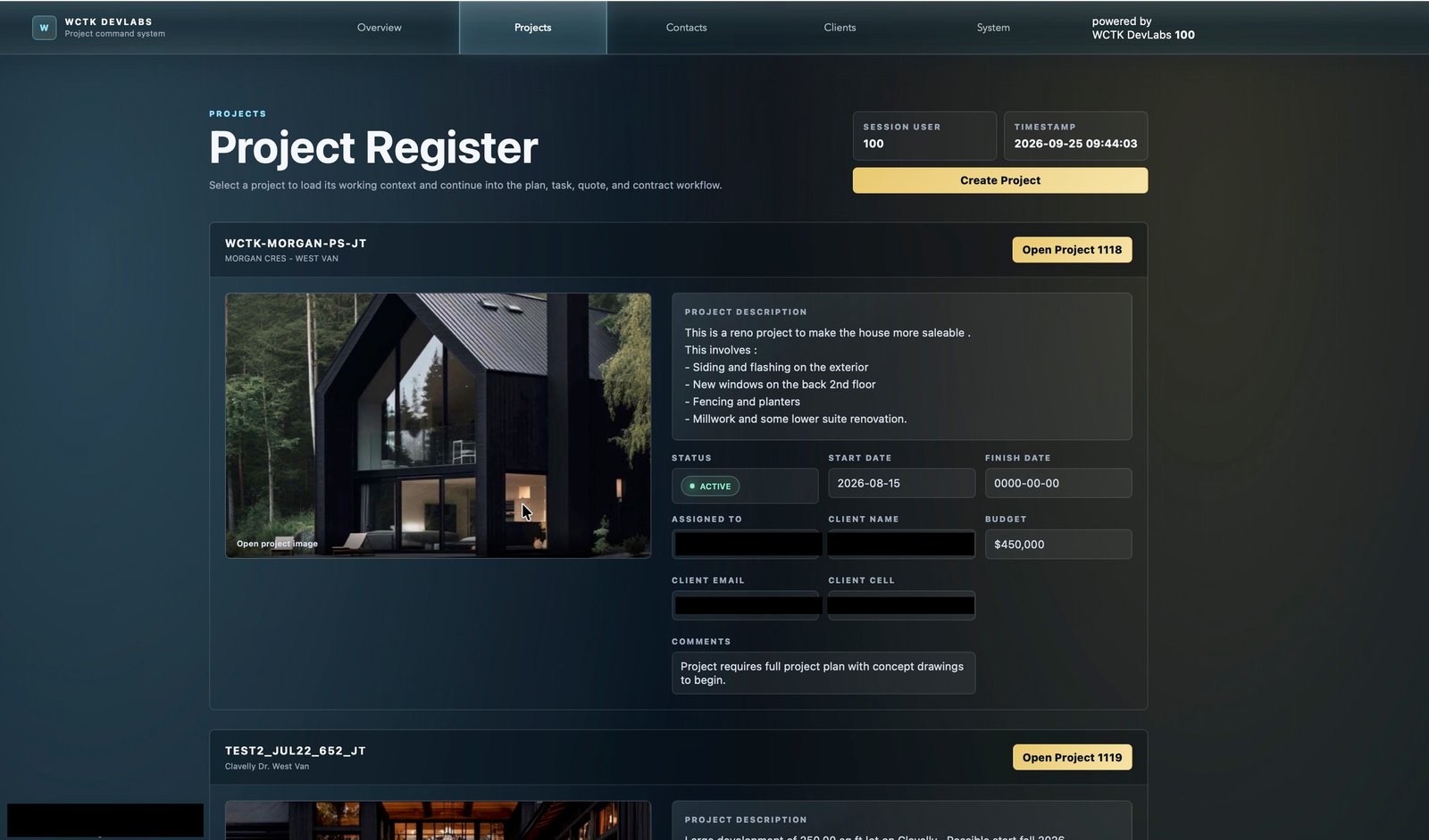
Create the working project record, establish its identity and bring the opportunity into the operating system.
The Task Engine resource library
Four illustrated field guides take you through tasks, supplier quotes, client updates and project reporting using a demo project.
Find your starting point: project management for builders or project management for designers.
Why this, why now
It needs continuity: a system where the project, task, supplier, commitment and document remain connected as the work advances.
A workflow built around actual project sequence, from project setup through contract administration.
A shared operating context for internal teams, suppliers and clients without exposing the complexity behind it.
A practical foundation for cleaner project data, faster decisions and a more scalable delivery business.
Contact
Bring a project you know well. We will walk through how Builder_TE or Designer_TE connects your plan, supplier activity, documents and client conversations, starting with the work that needs your attention.
jt@tannerdevelopmentltd.ca Corporate address